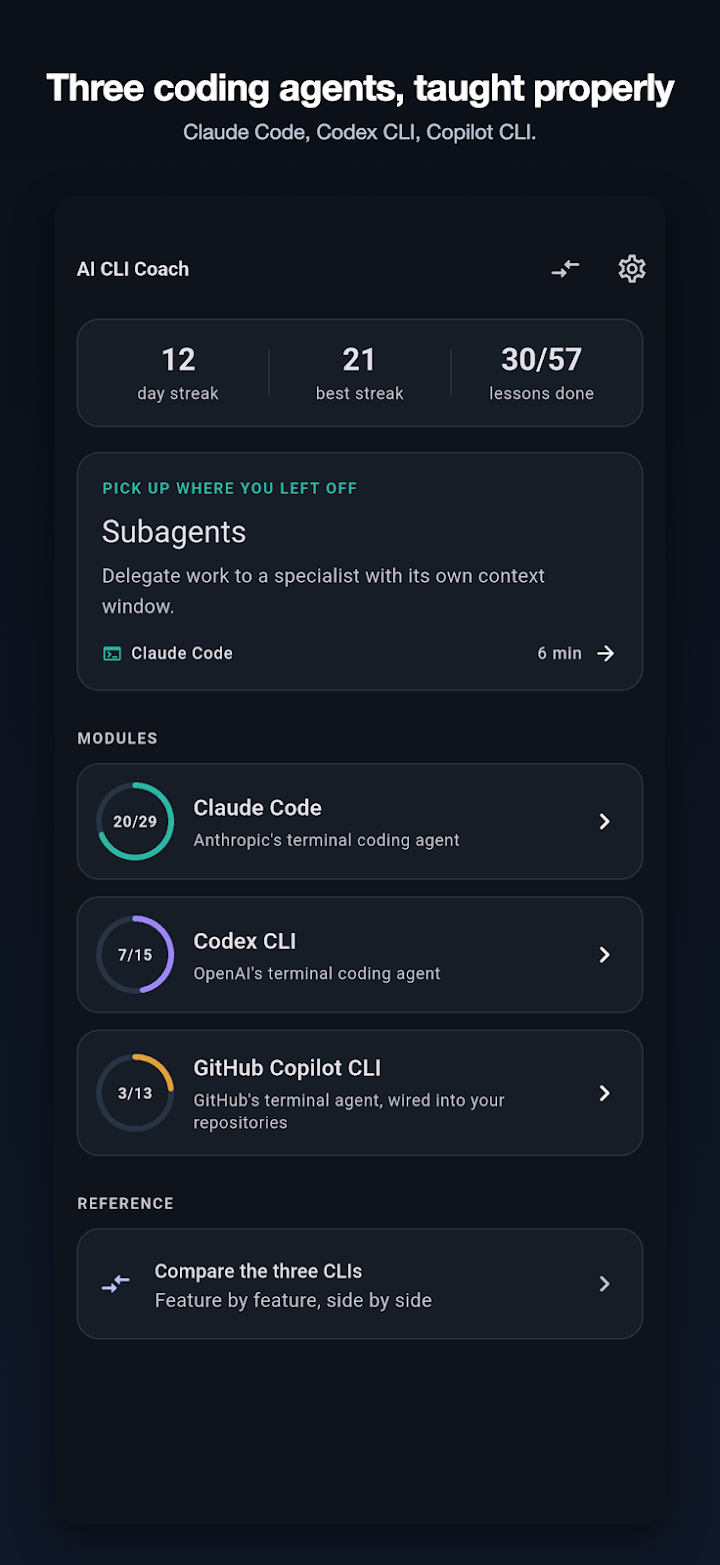
Claude Code, Codex CLI and GitHub Copilot CLI, taught from first install to running them unattended in CI. 57 lessons, 17 quizzes, three practice terminals and a 48-row comparison matrix — all of it on your phone, all of it offline.
Three passes over every idea — the explanation, the annotated transcript, the quiz. That is the difference between having read the documentation and being able to use the tool.
The complete Claude Code module is free forever: 29 lessons, 7 quizzes, a 13-step practice terminal and a 70-entry cheat sheet. No sign-in, no trial clock, nothing to cancel.
Plain English first, then an annotated transcript of the same thing happening in a real session. Commands copy with one tap, and the pitfalls people actually hit are called out where they happen.
Practise in a scripted terminal where nothing executes — approval prompts, sandbox refusals, a prompt-injection attempt. Then answer the section quiz, with every answer explained straight away.
All three tools, from first install to unattended runs in CI. 29 lessons on Claude Code, 15 on Codex CLI, 13 on GitHub Copilot CLI.
One quiz per section, each answer explained the moment you give it — including why the plausible wrong answer is wrong.
Three scripted terminals, 37 flows. Type or tap a command and get a real-looking response. No shell is involved, nothing executes, and the screen says so.
162 commands, flags and configuration files — 70 for Claude Code, 49 for Codex CLI, 43 for GitHub Copilot CLI. Exportable as Markdown with the unlock.
The one thing no vendor will ever publish, because no vendor will compare itself with two rivals. Read the whole thing on this page, free.
The whole curriculum ships inside the app. The only network access anywhere is the platform store, asked whether the unlock is available and whether you own it.
The safety model is taught first, not last. These are real sections from the curriculum, each with lessons, an annotated transcript and a quiz at the end.
Permission modes
What a sandbox misses
Prompt injection
MCP servers
Hooks
Headless runs in CI
CLAUDE.md and AGENTS.md
Resuming a session
Everyone who teaches these tools teaches one of them. This is the whole 48-row comparison from inside the app — every row, not a sample — because the part worth citing should be citable. Nothing here is behind the unlock.
Where a tool genuinely has no equivalent, the cell says so rather than inventing a near-match. Content current as of August 2026; where this table and a vendor’s own documentation disagree, the documentation wins.
Scroll the table sideways to see all three tools.
| Feature | Claude Code | Codex CLI | GitHub Copilot CLI |
|---|---|---|---|
| Getting started | Claude Code | Codex CLI | GitHub Copilot CLI |
| Command1 | claude | codex | copilot |
| Install | Native installer, or npm @anthropic-ai/claude-code | npm @openai/codex, or Homebrew | npm @github/copilot |
| Subscription billing | Claude Pro, Max, Team or Enterprise | ChatGPT Plus, Pro, Business or Enterprise | Copilot Pro, Pro+, Business or Enterprise |
| Pay-as-you-go option | Anthropic Console API key | OpenAI platform API key | No separate key - it is the Copilot plan, metered in premium requests |
| Windows | Native and WSL | WSL is the supported path | Native and WSL |
| Interface | Scrolling REPL | Full-screen TUI with a persistent header | Scrolling REPL |
| Instructions and memory | Claude Code | Codex CLI | GitHub Copilot CLI |
| Project instructions file2 | CLAUDE.md | AGENTS.md | .github/copilot-instructions.md, and AGENTS.md |
| Personal instructions | ~/.claude/CLAUDE.md | ~/.codex/AGENTS.md | No documented per-user instructions file |
| Bootstrap command | /init | /init | Write the file yourself |
| Add a rule mid-session | # at the start of the prompt | Edit AGENTS.md | Edit the instructions file |
| Path-scoped instructions | A CLAUDE.md in the subdirectory | An AGENTS.md in the subdirectory | Glob-scoped files under .github/instructions |
| Imports | @path lines pull other files in | No import syntax | No import syntax |
| Safety model | Claude Code | Codex CLI | GitHub Copilot CLI |
| Shape of the model3 | Permission modes plus allow / ask / deny rules per tool | Two independent dials: approval policy and OS sandbox | Per-tool allow and deny lists, plus per-directory trust |
| Read-only mode | plan mode | -s read-only | Deny the write and shell tools |
| OS-level sandbox | No - permission rules, not kernel enforcement | Yes - Seatbelt on macOS, Landlock and seccomp on Linux | No - approval prompts and per-directory trust |
| Network blocked by default | No | Yes, in workspace-write | No |
| Pre-approve a command | allow rule, e.g. Bash(npm test:*) | Approval policy, or a profile | --allow-tool 'shell(npm test)' |
| Deny a command outright | deny rule | Sandbox boundary rather than a named deny list | --deny-tool |
| The dangerous escape hatch4 | --dangerously-skip-permissions | --yolo (no approvals, no sandbox) | --allow-all-tools |
| Session and context | Claude Code | Codex CLI | GitHub Copilot CLI |
| Resume a session | claude -c , claude -r , /resume | codex resume , resume --last | copilot --continue , --resume |
| Clear the conversation | /clear | /new | /clear , /reset |
| Summarise to reclaim context | /compact, and automatic compaction | /compact | Not documented as a user command |
| See context usage | /context | /status | /usage shows premium requests rather than tokens |
| Branch from an earlier message | Esc Esc | Esc Esc | Not documented |
| Undo the agent's changes | /rewind, from file checkpoints | /undo | Use git |
| Review the change so far | git diff, or /review for a PR | /diff and /review | git diff |
| Extensibility | Claude Code | Codex CLI | GitHub Copilot CLI |
| MCP servers | Yes - claude mcp add, three scopes, .mcp.json | Yes - codex mcp add, or config.toml | Yes - /mcp, or ~/.copilot/mcp-config.json |
| Acts as an MCP server itself | Via the Agent SDK | Yes, built in | Not documented |
| Custom slash commands | Yes - Markdown files in .claude/commands/ | No | No |
| Subagents | Yes - .claude/agents/, separate context windows | No | No |
| Skills | Yes - progressive-disclosure SKILL.md folders | No | No |
| Lifecycle hooks5 | Yes - nine events, can block a tool call | No - only a notify callback when a task ends | No |
| Plugins and marketplaces | Yes | No | No |
| Built-in issue and PR access6 | Via the GitHub app, or an MCP server | Via an MCP server | Yes, built in and using your sign-in |
| Configuration | Claude Code | Codex CLI | GitHub Copilot CLI |
| Config format | JSON, layered across four locations | One TOML file at ~/.codex/config.toml | JSON under ~/.copilot, plus flags and environment variables |
| Per-project settings committed to the repo | Yes - .claude/settings.json | No - config is per user | Instructions files only |
| Personal, git-ignored project settings | Yes - .claude/settings.local.json | No | No |
| Named profiles | No - use --settings for a one-off | Yes - [profiles.name] in config.toml | No |
| Override one setting for a run | Flags, or --settings | -c key=value | Flags and environment variables |
| Reasoning effort dial | Model choice | model_reasoning_effort, and /model | Model choice |
| Extra working directories | --add-dir , /add-dir , additionalDirectories | writable_roots, and --cd | --add-dir , /add-dir , /list-dirs |
| Automation | Claude Code | Codex CLI | GitHub Copilot CLI |
| Headless flag | claude -p | codex exec | copilot -p |
| Machine-readable output | --output-format json or stream-json | --json event stream | Text output; use --no-color |
| Cap the agent loop | --max-turns | Bounded by the sandbox and approval policy | No documented turn cap |
| First-party CI integration | GitHub Action, via /install-github-app | Code review on GitHub, and Codex cloud | Runs in Actions; the coding agent is GitHub-native |
| IDE extension | VS Code and JetBrains, connecting to the same session | VS Code | Copilot is already in the editor, as a separate surface |
| SDK for building on it | Claude Agent SDK, TypeScript and Python | Exposes itself as an MCP server | No standalone SDK |
| Cloud execution | GitHub Actions | Codex cloud | Copilot coding agent |
48 rows · 7 groups Content current as of August 2026 Nominative references only — no vendor logos or brand assets
One address, answered by the developer who wrote the app. There is no ticket queue and no chatbot in front of it.
Questions, bug reports, refund queries, anything factually wrong in a lesson:
This is the support contact for both store listings. A correction to the curriculum is as welcome as a bug report — these tools change weekly and the app says so.
AI CLI Coach is an independent educational app from Froggy Eye Ltd. It is not affiliated with, endorsed by, or sponsored by Anthropic, OpenAI, GitHub or Microsoft. Claude Code, Codex and GitHub Copilot are the trademarks of their respective owners and are referred to here only to identify the tools this app teaches.
In practice that means: no vendor logos or brand assets anywhere in the app or on this page, no claim of official status, endorsement, partnership or certification, and no suggestion that this app replaces the vendor documentation. It does not — every module carries the date its content was last checked and states that the vendor’s own documentation and the tool’s own help output win.
The same wording appears in the app’s onboarding, its settings and its about screen.
The whole Claude Code module is free and stays free. One optional purchase adds the other two tools. There is no subscription anywhere in this app.
The complete Claude Code module, with no account and no time limit.
The Codex CLI and GitHub Copilot CLI modules, the rest of the matrix, and export.
Price shown in GBP; the app always shows your own storefront’s price, never a hardcoded one. The unlock is a one-time purchase, not a subscription — there is nothing to cancel, and it can be restored from the paywall or from Settings at any time.
You can, and you should. But it lives in three different places, it changes weekly, none of it compares one tool with another, none of it works on a plane, and none of it asks you a question afterwards to find out whether any of it stuck. This app does those four things.
It was written by a developer who kept re-learning the same permission flags in three different tools and wanted one place that laid them side by side. It is not a replacement for the vendor documentation and does not pretend to be: every module and cheat sheet carries the date its content was last checked, and says plainly that the vendor’s own documentation and the tool’s own help output win over this app.
Rows in the comparison matrix, published in full on this page — no email, no paywall. It is the part worth citing, so it is the part left open.
Commands the practice terminals execute. Every response is scripted, no shell is involved, and the screen tells you so while you use it.
The one-time unlock, and the only money this app will ever ask you for. No subscription, no ads, no tracking, no account, and no upsell afterwards.
AI CLI Coach is an independent educational app from Froggy Eye Ltd. It is not affiliated with, endorsed by, or sponsored by Anthropic, OpenAI, GitHub or Microsoft. Claude Code, Codex and GitHub Copilot are the trademarks of their respective owners and are referred to here only to identify the tools this app teaches.
No. The practice terminals are simulations. Tap a suggestion or type a command and you get a scripted response — an approval prompt, a sandbox refusal, /init, a prompt-injection attempt. Nothing executes, no shell is involved, and the screen says so. It is the safest way to see what a dangerous flow looks like before you meet one on a real machine.
Because the documentation lives in three places, changes weekly, compares nothing, works only online, and never quizzes you. If reading three sets of docs side by side already works for you, the free Claude Code module is genuinely all you need — take it and go.
The complete Claude Code module: all 29 lessons, its 7 quizzes, its 13-step practice terminal, its 70-entry cheat sheet, and the first six rows of the comparison matrix. Free forever, with no account and no time limit.
No. It is one non-consumable in-app purchase at £4.99, paid once and never renewing. It adds the Codex CLI module, the GitHub Copilot CLI module, the remaining 42 matrix rows and cheat-sheet export as Markdown. Purchases can be restored from the paywall or from Settings.
Yes, all of it. Every lesson, quiz, cheat sheet and practice terminal ships inside the app. The only network access anywhere is the platform store: the app asks it whether the unlock is available, what it costs in your currency, and whether you already own it.
None. There is no sign-in and no server, so there is nowhere for data to go. The App Privacy label says Data Not Collected and the Play Data Safety form says no data collected and no data shared.
Content was last checked in August 2026, and every module and cheat sheet shows that date in the app rather than hiding it. Where this app and a vendor’s own documentation disagree, the documentation wins.
Email info@froggyeye.com. It reaches the developer directly, and it is the support contact for both store listings. Corrections to the curriculum are as welcome as bug reports.
AI CLI Coach is being prepared for both stores. The download links appear here as soon as the listings are live. Until then the 48-row comparison matrix above is free to read, and questions go to info@froggyeye.com.